- Published in How to buy on aliexpress
Enable or disable notifications on Aliexpress
We set up notifications about orders, parcels, deals, promotions, messages from sellers. Notifications Aliexpress on e-mail.
Many users often ask the question about managing notifications with Aliexpress, namely letters that come to the mail. Some people want to turn it on, and some turn it off. However, I want to say right away that they will not completely get rid of them, but you can significantly reduce their number.
How do I enable Aliexpress notifications?
To get started, you need to log in to Aliexpress.com using your credentials. Then follow the route: My Aliexpress - Profile settings - Change settings - Email notifications. Mail. Or at once under the link: https://my.aliexpress.com/subscription/email_subscription_management.htm
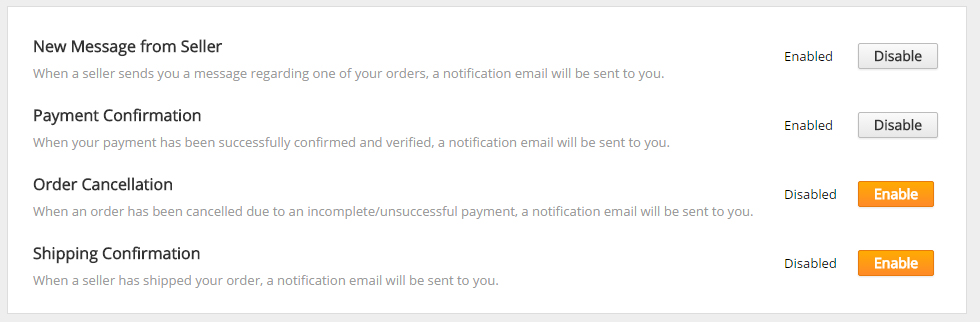
Next, you'll see buttons that enable or disable the corresponding notifications.
New Message from Seller - these are messages when communicating with sellers
Payment Confirmation - notification of payment confirmation
Order Cancellation - about cancellation of an order
Shipping Confirmation - upon confirmation of receipt of the parcel (it is not clear why)
How do I turn off Aliexpress notifications?
The first method, as described above. No others)
- notifications on Aliexpress
- disable notifications on Aliexpress
- Enable or disable notifications on Aliexpress
- Notifications Aliexpress on email